Build Packs for Superhuman
A Pack is a plugin for Superhuman, allowing you to extend the user experience with your own code.
Packs are primarily used to build connectors, which allow users to bring another application's data and actions into the products where they work.
Build once, and the same Pack will work across Go and Docs.
Bring your MCP server to Go
Superhuman Go supports the MCP standard, so any app that hosts a server can plug straight in. MCP servers are distributed as connectors, and once installed Go can access all of the tools they provide.
Creating a connector for your MCP server is simple, often requiring as little as a dozen lines of code. When it's ready, you can publish it to the store so anyone can discover and install it.
What you can build
Build tools for any REST API
Not every app has an MCP server, but most have a REST API. Write your own tools hosted on our servers and available in Superhuman Go just like MCP tools.
Answer questions from your data
Sync your records into the knowledge layer and Superhuman Go can search them, cite them, and answer from them in the middle of a conversation.
Extend what a doc can do
Create custom formulas and sync tables that fit right into the Superhuman Docs experience. Users work with your app's data and actions without leaving their doc.
Let's see the code
A Pack is a TypeScript file containing metadata and logic. Each of these is a complete, working connector.
import * as sdk from "@superhuman/plugins-sdk";
export const pack = sdk.newPack();

pack.addMCPServer({
  name: "Todoist",
  endpointUrl: "https://ai.todoist.net/mcp",
});

pack.setUserAuthentication({
  type: sdk.AuthenticationType.OAuth2,
  useDynamicClientRegistration: true,
  useProofKeyForCodeExchange: true,
});

pack.addNetworkDomain("todoist.net");
import * as sdk from "@superhuman/plugins-sdk";
export const pack = sdk.newPack();

pack.addFormula({
  name: "AddTask",
  description: "Add a new task.",
  parameters: [
    sdk.makeParameter({
      type: sdk.ParameterType.String,
      name: "name",
      description: "The name of the task.",
    }),
  ],
  resultType: sdk.ValueType.String,
  isAction: true,
  execute: async function (args, context) {
    let [name] = args;
    let response = await context.fetcher.fetch({
      url: "https://api.todoist.com/api/v1/tasks",
      method: "POST",
      headers: { "Content-Type": "application/json" },
      body: JSON.stringify({ content: name }),
    });
    return "https://app.todoist.com/app/task/" + response.body.id;
  },
});

pack.setUserAuthentication({
  type: sdk.AuthenticationType.HeaderBearerToken,
  instructionsUrl: "https://todoist.com/app/settings/integrations",
});

pack.addNetworkDomain("todoist.com");
import * as sdk from "@superhuman/plugins-sdk";
export const pack = sdk.newPack();

pack.addSyncTable({
  name: "Tasks",
  schema: sdk.makeObjectSchema({
    properties: {
      name: { type: sdk.ValueType.String, fromKey: "content" },
      description: { type: sdk.ValueType.String },
      url: { type: sdk.ValueType.String, codaType: sdk.ValueHintType.Url },
      id: { type: sdk.ValueType.String },
    },
    displayProperty: "name",
    // Sync table metadata.
    idProperty: "id",
    featuredProperties: ["description", "url"],
    // Indexing metadata.
    titleProperty: "name",
    linkProperty: "url",
    index: { properties: ["description"] },
  }),
  identityName: "Task",
  formula: {
    name: "SyncTasks",
    description: "Sync tasks",
    parameters: [],
    execute: async function (args, context) {
      let response = await context.fetcher.fetch({
        method: "GET",
        url: "https://api.todoist.com/api/v1/tasks",
      });
      let tasks = response.body.results;
      return {
        result: tasks.map(task => ({
          ...task,
          url: "https://app.todoist.com/app/task/" + task.id,
        })),
      };
    },
  },
});

pack.addNetworkDomain("todoist.com");

pack.setUserAuthentication({
  type: sdk.AuthenticationType.HeaderBearerToken,
  instructionsUrl: "https://todoist.com/app/settings/integrations",
});
Start building
Command line tool
Develop on your own machine with the editor, tooling, and version control you already use. Run your connector locally, then upload a version when you're ready.
Pack Studio
Write, build, and deploy from your browser with nothing to install. A quick way to prototype, and you can move to a local project later.
Tutorials
Step-by-step lessons that go further than a quickstart, walking you through core features of the SDK and the most common use cases.
See what others have built.
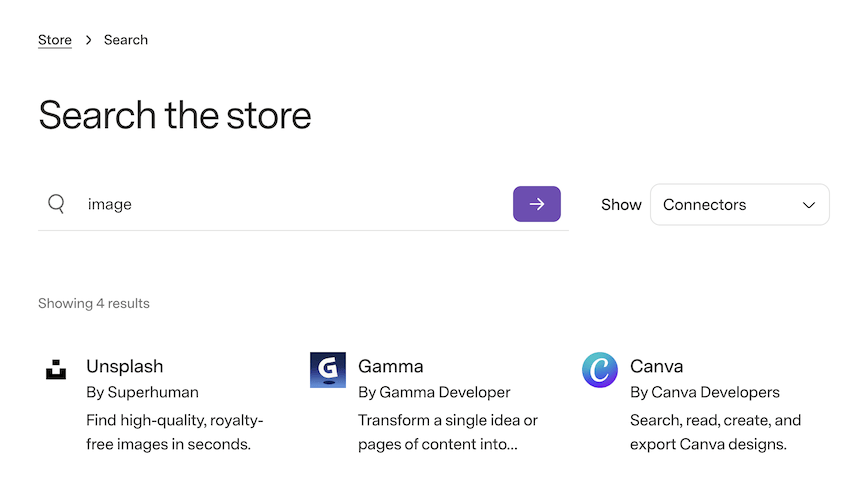
Connectors are listed in the Superhuman Go Store and the Superhuman Docs Gallery, where anyone can install them. Try a few to get a feel for what yours could do.
Stuck, or want to see it done first? There's a library of videos walking through the basics, and a community of developers happy to answer questions.