Skip to content
Guide for Schoolable Pay
  • Pages
    • Our Manifesto
    • Account Setup
      • Payment Setup
        • Settlement Account
        • Discounts
        • Payment Items
        • Payment Preferences
        • Grouping payment items
        • Beneficiaries
        • Expense Category
        • User Permissions
      • Payroll Setup
        • Salary items
        • Taxes & Benefits
        • Preferences
      • Administration
        • School profile
        • School Session & Term
        • Promoting Students
        • Bulk data upload
    • Students
      • Adding a new student
      • List students
      • Class Sections
      • Student Tags
    • Families
      • Family list & profile
      • Guardian information
    • Employees
      • How to enable an employee for payroll
      • How to run Payroll Monthly
    • Vendors
    • Invoices
      • Why are invoices needed?
      • Generating an invoice
      • Updating an invoice
      • Sending invoice notifications
      • Adding payments to invoice
      • Archiving an invoice
      • Paying an invoice
      • Invoice Listing
      • Sending invoice receipt
      • Why Invoice Reports are Important in Schools
    • Invoice inflow
    • Settlements
    • Send Money
      • icon picker
        List transfer history
      • Payment Requests
      • How to send money
    • Balance History
    • Apps Marketplace
    • Test Accounts

List transfer history

Funds Transfer

This shows a history of all your transactions (both debit and credit), the date and time the transfer was made, the status, the total amount transferred, and the account details of the recipient.
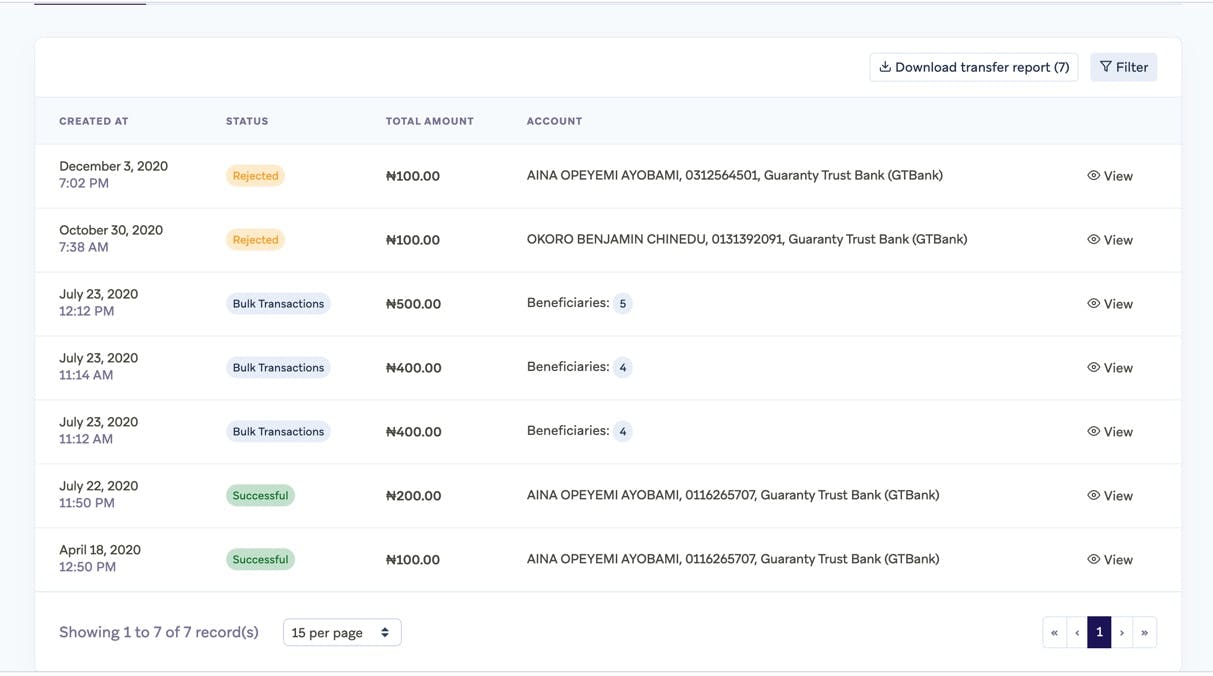
A18F95F8-C63C-4D11-9A4A-3EF7889B56BB.jpeg
You can also see your account balance and account details here too.

024FBBE9-A13A-46F4-AFA1-EC2D4146A8DD_4_5005_c.jpeg
You can search for a transaction using filter by selecting the date between which the transaction was created, the beneficiary, or the amount that was transferred.
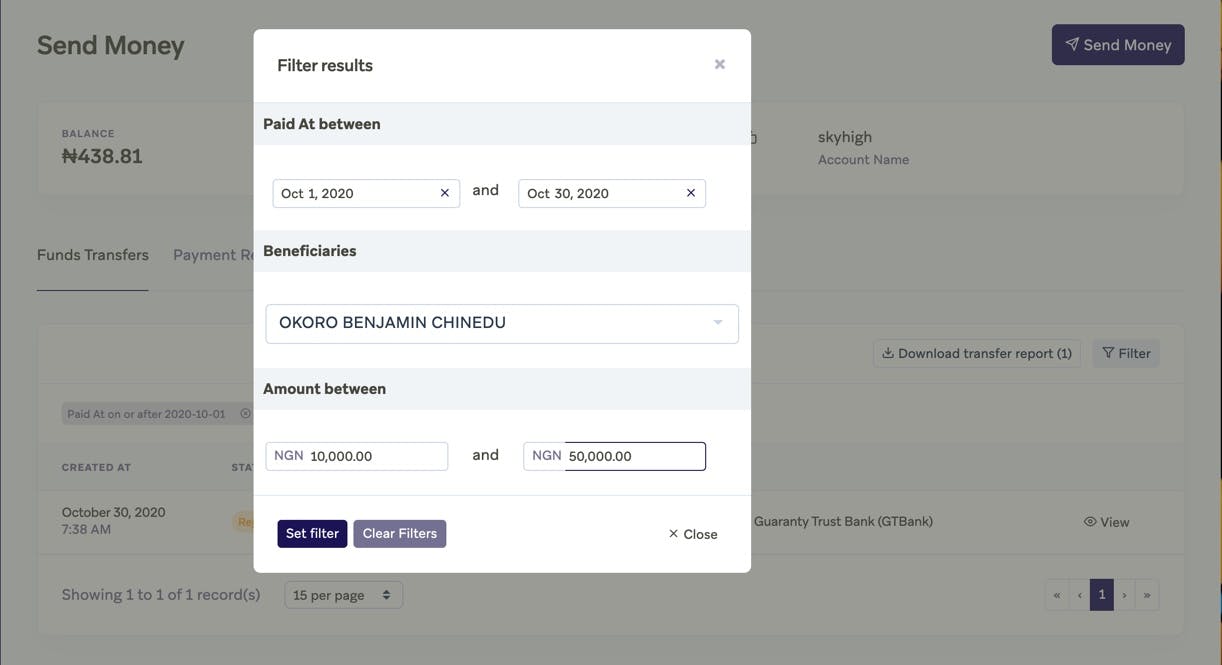
F2950500-AF52-4293-8B8E-59228C6C5428.jpeg

You can also download your balance history report and an excel template will be downloaded on your system.

 
Want to print your doc?
This is not the way.
Try clicking the ··· in the right corner or using a keyboard shortcut (
CtrlP
) instead.
