




6 min read
Switching from Confluence
Top 5 things you need to know when migrating from Confluence to Superhuman Docs.
1. From wikis to hubs
One of the first things people notice when moving from Confluence to Superhuman Docs is the difference in how their workspace is structured. Confluence is structured as a traditional wiki, meaning within your workspace, you have giant “spaces” where all of your information lives in individual pages and subpages. Superhuman Docs’ hub model works a bit differently. In Superhuman Docs, hubs start at the workspace level, where your teammates and their docs live. From there, workspaces can be divided into folders that group together different docs. Docs are the building blocks of Superhuman Docs. They house everything you need to know about a team, project, campaign, and more in one place, and they consist of endless pages and subpages. These extra layers make it much easier to find and share information, especially as your team grows. You’ll get better results if you don’t just dump pages into Superhuman Docs the way you might in Confluence. Instead, create a new doc when you kick off a new project, product, campaign, or team.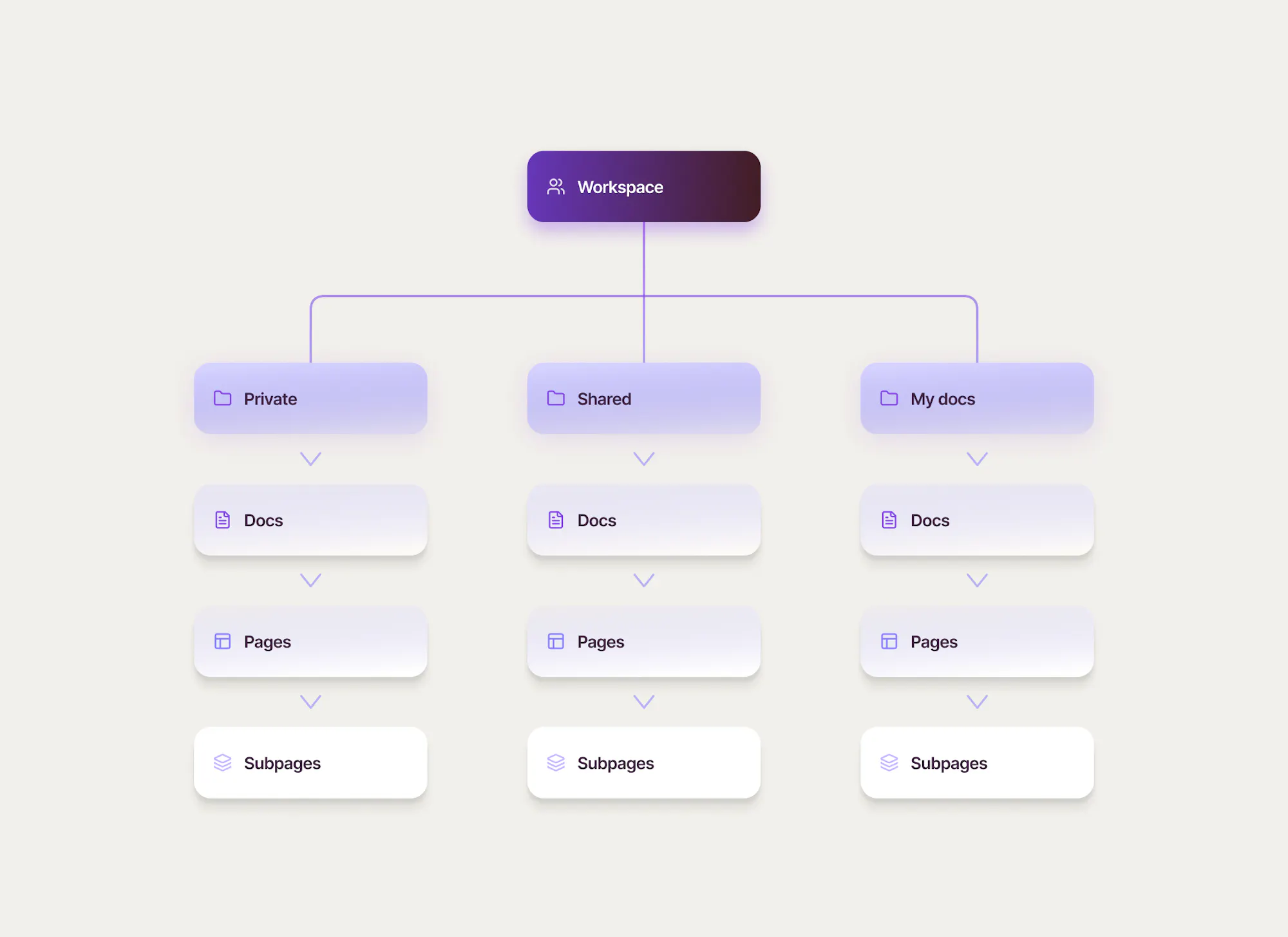

Work with AI that understands your docs and data
Docs AI can generate content, summarize pages, and pull insights from your tables—all directly inside your docs. It’s not just assistive, it works alongside your actual workflows.
2. From separation to collaboration
The second major contrast you’ll notice when switching from Confluence is how seamless it is to collaborate with your team. For standard Confluence pages, you have to switch to edit mode and publish changes before teammates can see them.In Superhuman Docs, everything is live by default. You can collaborate in real time with unlimited teammates, seeing their cursors track and make changes across your doc. There’s no publish step, and all content types support real-time collaboration.
Quick tips:
- If you don’t want to see your teammates’ activity (e.g. you’re reading or need space for uninterrupted work) you can hide collaborators' activity through the three dots next to the face pile.
- If you’re working with someone and want to join them on the same page, you can click their face in the face pile to jump to their cursor.
3. From stark to stunning
You’ll also find that Superhuman Docs has a lot more options to beautify your doc—and unlike other tools, Superhuman Docs makes it seamless to do this, so you can spend time where it counts.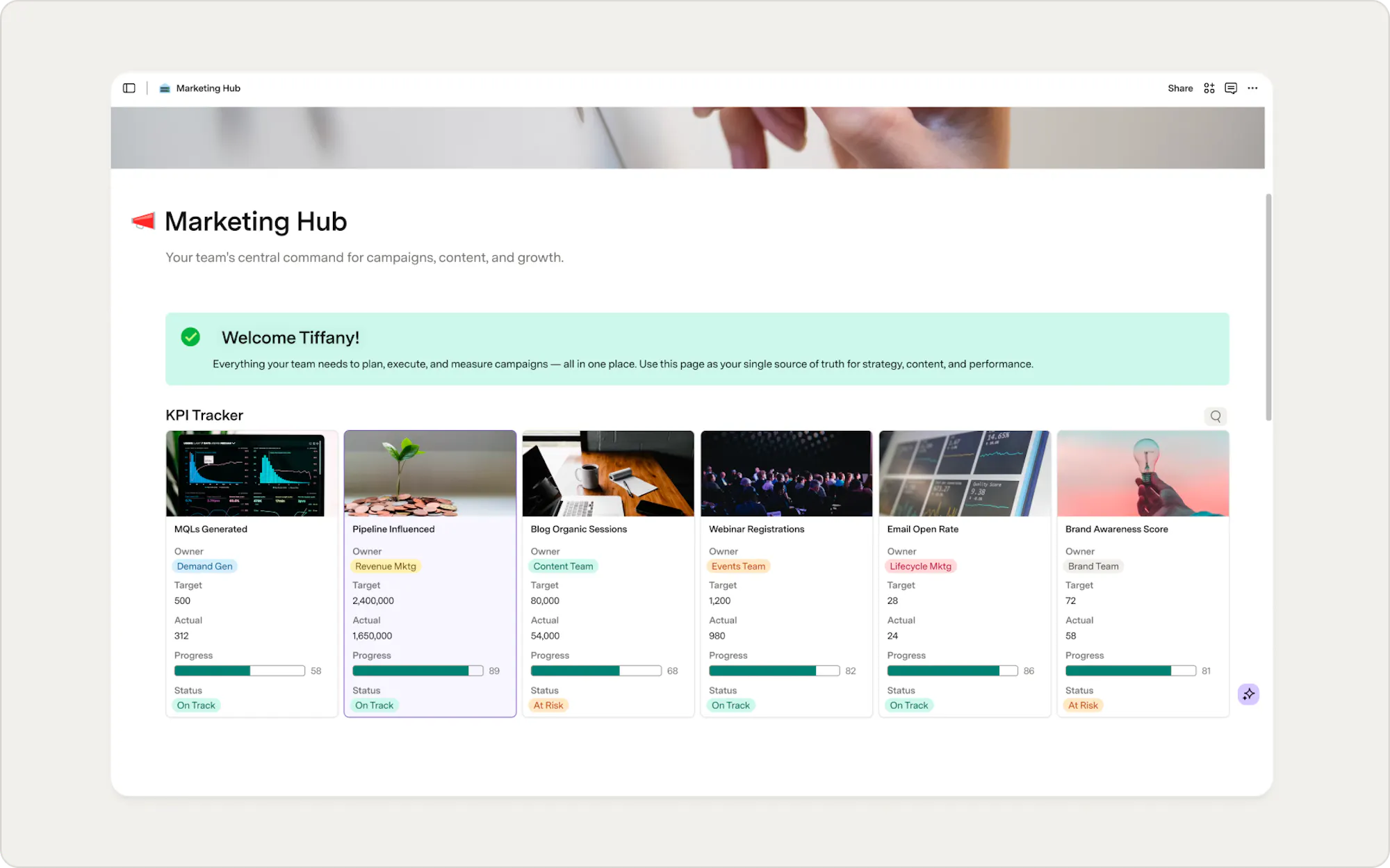
4. From static tables to functional databases
Although they share the same name, tables in Confluence are quite different from those in Superhuman Docs. Instead of simple tables where you can only add text, Superhuman Docs’ tables are powerful relational databases, meaning you can have connected, customizable views, which let you slice-and-dice the information in any way you like, while still maintaining a single source of truth. A view can filter out noise, or re-visualize your information as cards, calendars, and charts. Similar to Confluence, you can add a table to your doc by typing /table anywhere in the canvas.5. From siloes to a single source of truth
Instead of relying on macros, extensions, plug-ins, and other add-ons, Superhuman Docs uses native embeds, Packs, and automations to sync with external tools and streamline your workflow. This helps you see all of your work in one place in Superhuman Docs. To see all of the ways Superhuman Docs connects with external tools, check out the sync guide. One popular example is the Jira Packs, which lets you pull data from Jira into your doc and push changes back. Everything is synced.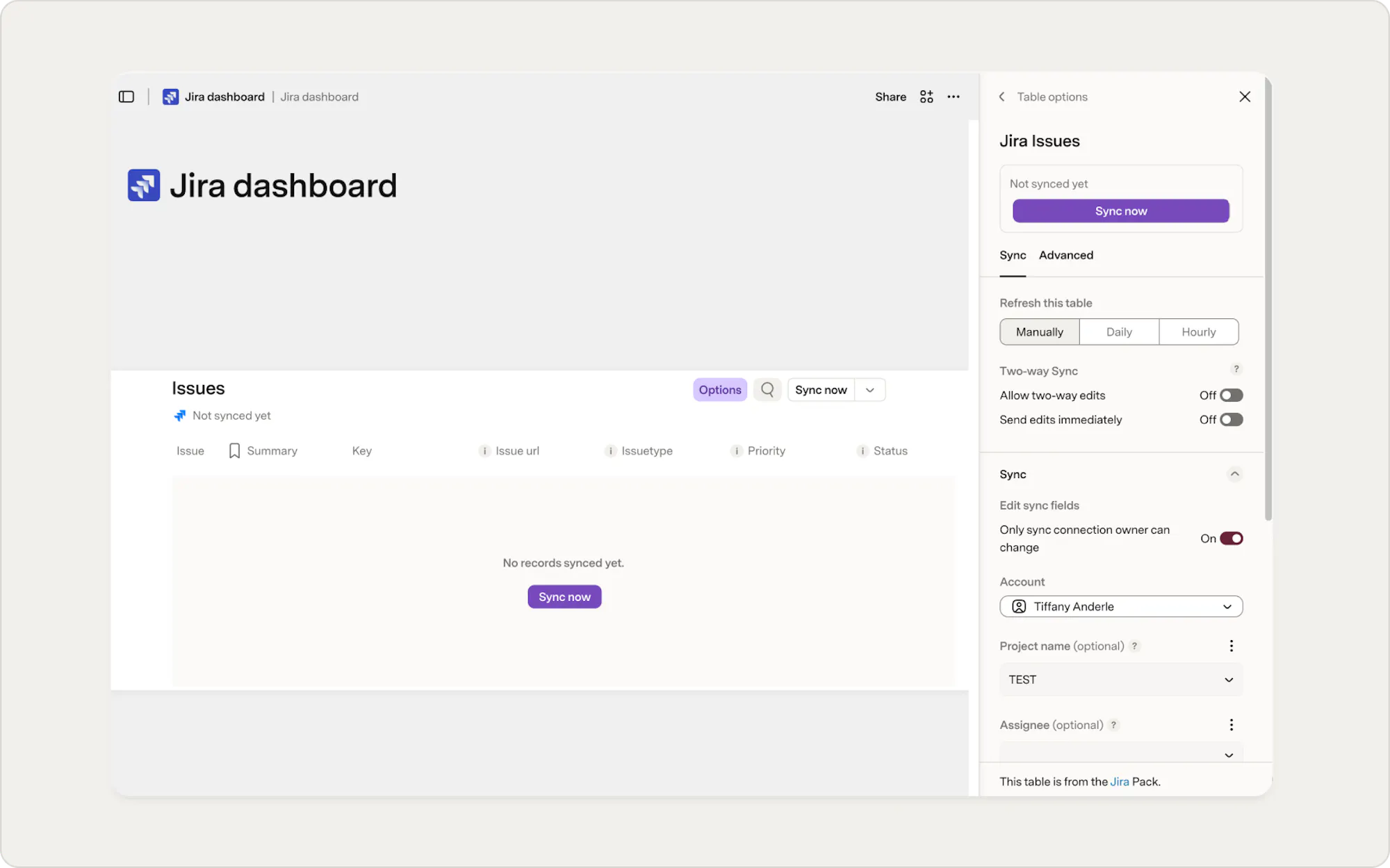
Now what?
If you’re ready to dive in, check out our courses, explore the resources in this guide, or try automations and Packs. Want more resources for switching from Confluence to Superhuman Docs?- The Moving from Confluence to Superhuman Docs talks all about the importer.
- The Ultimate Confluence vs. Superhuman Docs Evaluation Guide breaks down the differences in detail.
- Our Import data from Confluence help article gives you a quick guide to moving your data.
Was this helpful?
YesNo