Skip to content
The Solo Creator Playbook
  • Pages
    • Welcome
    • Table of Contents
    • Introduction
    • Before You Get Started
    • Creating Content
      • Podcast
      • Livestream
      • Video
    • Platforms
      • Facebook
      • Twitter
      • Instagram
      • TikTok
      • LinkedIn
      • YouTube
      • Twitch
      • Medium
      • Clubhouse
      • Snapchat
      • Pinterest
      • Polywork
    • Tools
    • Templates In This Guide
      • Pre-Content Workshop
        • icon picker
          Know Yourself
        • Know Your Why
        • Know Your Audience
      • Content Planner
        • Facebook
        • Twitter
          • Daily Summary
          • Daily Twitter Posts
        • Instagram
        • TikTok
        • LinkedIn
      • Podcast Dashboard
      • Video Production Dashboard
        • Card View
        • Script
        • Research and Notes
      • Live Stream Dashboard
        • Live Stream Script
        • Stream Reactions & Values Script
    • About This Doc
      • Credits
      • Update Log
      • Join the Discord Community

Know Yourself

Create a succinct bio that you can use to sell yourself. It's the ultimate elevator pitch.

Bio Templates


Template 1: What are you known for?

[Who you are/what you’re known for]
[What you help your audience do]
[CTA + Link]
Example:
DanFounder.PNG

Template 2: The emoji list

👑 [Main goal/account theme or niche/tagline]
🎹 [Current job title/company]
🎙️ [Location]
💍 [Personal facts]
Example:
Curtis King.PNG

Template 3: The pipe separators

[Current job title/company] | [Previous or secondary companies/roles] | [Tagline]
[What you’re known for ]
[Notable projects]
[CTA: website]
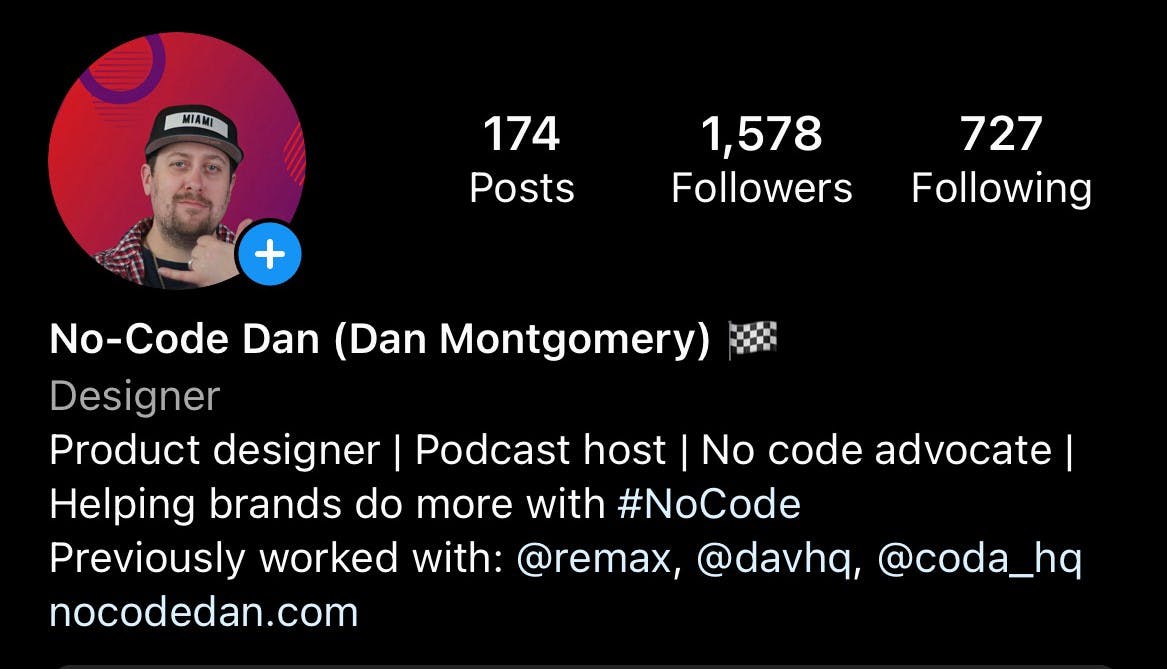
Example:
NCD IG.jpg

Template 4: The paragraph breaks

[Personal fact]
[What you do]
[Your role/company]
Example:
John henry.PNG

Template 5: Make it about your audience

[Who you serve]
[Who you teach]
[What you’ve built/Where you’ve worked]
CTA [ex: Portfolio Website, Product, or Online Course]
Example:
JohnDSaunders.PNG

Want to print your doc?
This is not the way.
Try clicking the ··· in the right corner or using a keyboard shortcut (
CtrlP
) instead.
