Skip to content
Circle Visioning Process
  • Pages
    • Sean's Reference
      • Reference
        • Frame Your Design Challenge
        • Vision That Stick: Notes
      • Visioning Overview
      • The New Parish Notes
      • The History of The Church
      • Constraints
    • Archive
      • Welcome & Invitation
        • Updates
          • Meeting Pre-Work: Framing the Challenge
          • Meeting Agenda: June 3rd
            • Distilling Themes
          • 6/16/20 Update
          • 6/23/20 Update
            • Session Design
          • Email to Circle Leaders
        • Activities
          • 3-12-3 Brainstorm
      • Background on Process: Frame Design Challenge Process
        • Frame Design Challenge: Worksheet
        • Activity 1: Align Your Impact Goals
          • Untitled
        • Activity 2: Define Your Audience
      • Values, Mission, Vision
      • Affinity Group Roster
      • Affinity Groups Recruitment
      • Visioning Process Brand and Recruitment Material
        • Email Recruitment
    • Idea Analysis

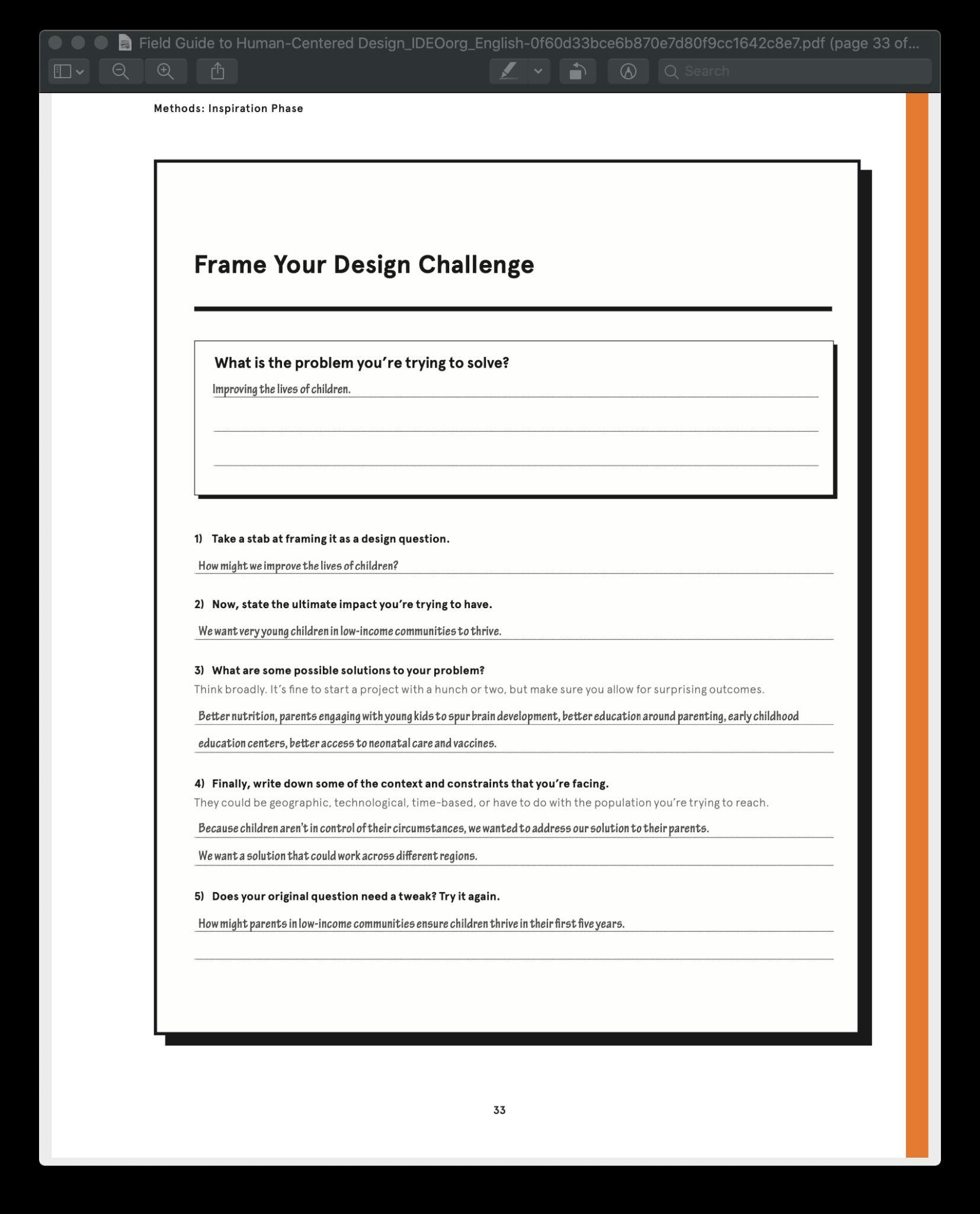
Frame Your Design Challenge

What is the problem you are trying to solve?
1) Take a stab at framing it as a design question?
2) Now, state the ultimate impact you're trying to have?
3) What are some possible solutions to your problem? Think broadly. It's fine to start a project with a hunch or two, but make sure you allow for surprising outcomes.
4) Finally, write down some of the context and the constraints that you're facing? They could be geographic, technological, time-based, or have to do with populations you're trying to reach.
5) Does your original question need a tweak? Try it again?
Screen Shot 2020-05-18 at 10.04.12 AM.png
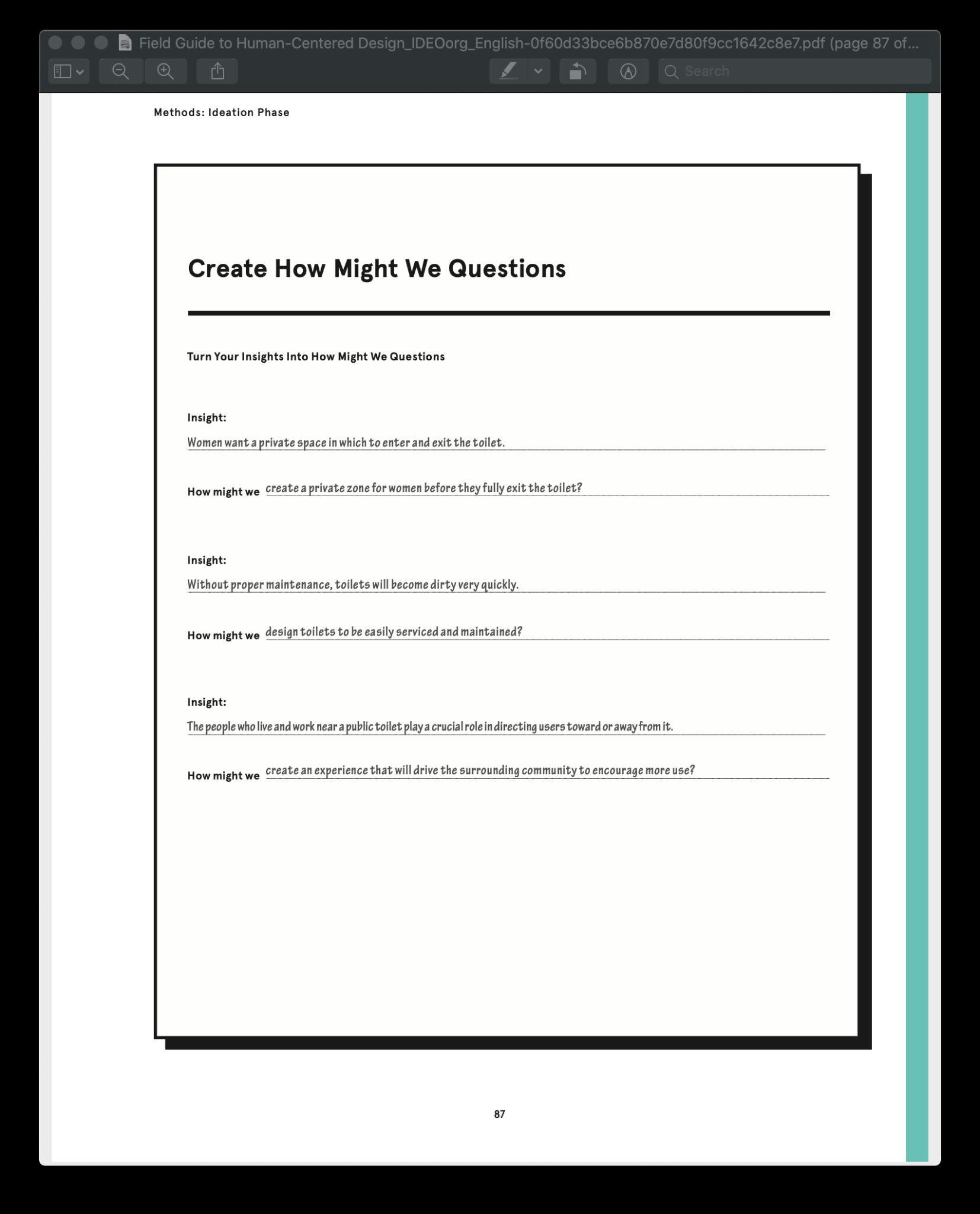
Screen Shot 2020-05-18 at 10.04.32 AM.png

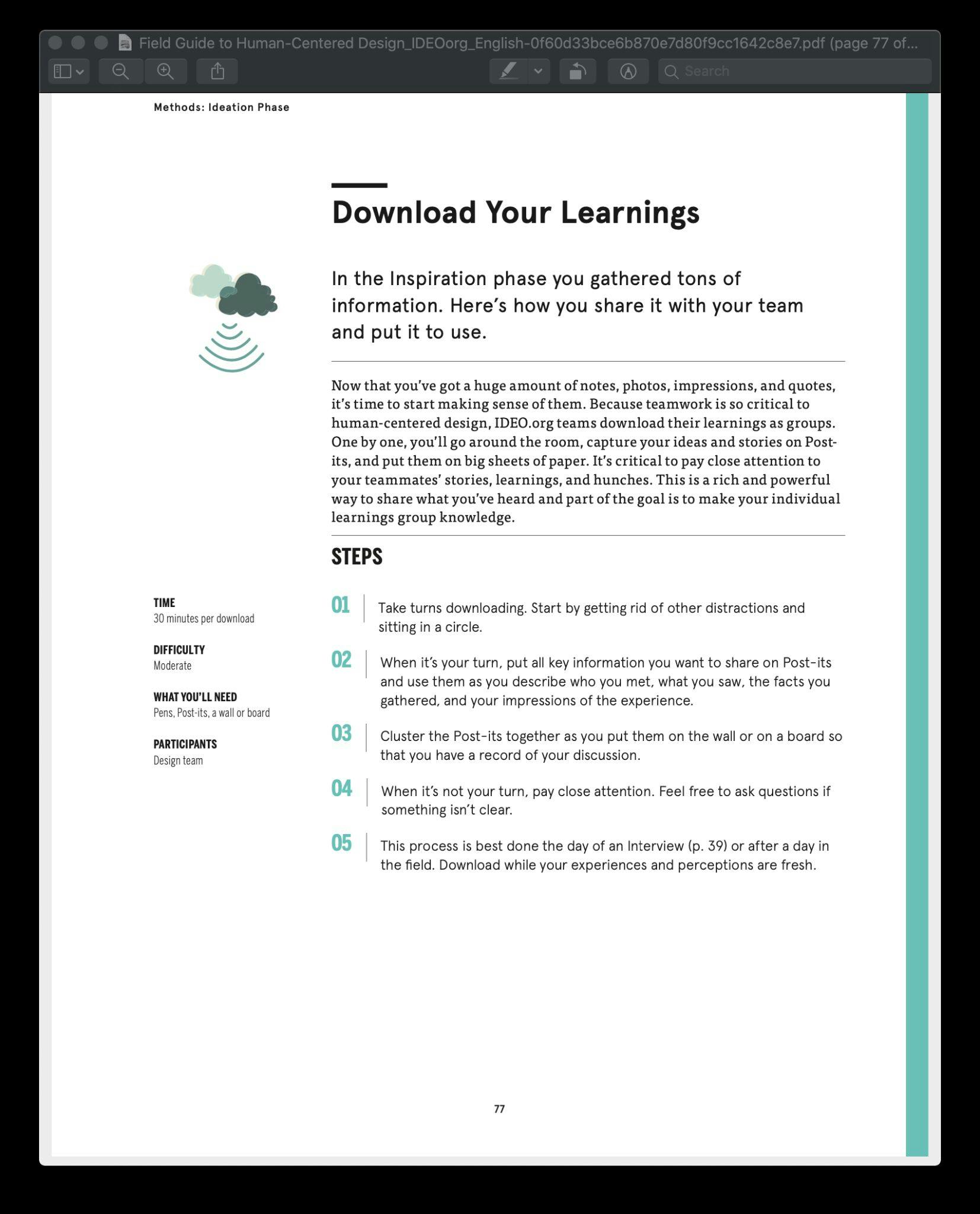
Download Learnings
Screen Shot 2020-05-18 at 10.05.40 AM.png
Screen Shot 2020-05-18 at 10.05.49 AM.png
Screen Shot 2020-05-18 at 10.06.15 AM.png
Screen Shot 2020-05-18 at 10.06.23 AM.png
Screen Shot 2020-05-18 at 10.06.38 AM.png
Screen Shot 2020-05-18 at 10.06.57 AM.png
 
Want to print your doc?
This is not the way.
Try clicking the ··· in the right corner or using a keyboard shortcut (
CtrlP
) instead.