Skip to content
UX DesignerUI DesignerProduct DesignerContent DesignerUX AnalystUX Architect/Information ArchitectUX CopywriterUX ResearcherUX Strategist


Share
Explore
 Preface
Intro to UX Design
What is UX (user experience) Design?
As defined by Wikipedia: User experience design (UXD, UED, or XD) is the process of supporting user behavior through usability, usefulness, and desirability provided in the interaction with a product. User experience design encompasses traditional human–computer interaction (HCI) design and extends it by addressing all aspects of a product or service as perceived by users.
User experience design (UX design) is the practice of designing products, processes, services, events, omnichannel journeys, and environments with a focus placed on the quality of the user experience and culturally relevant solutions.
Is UX & UI the same thing? Are they interchangeable?
No, UX Design and UI Design are not the same, although they are closely related. User Interface (UI) design is one aspect of the entire UX Design process.
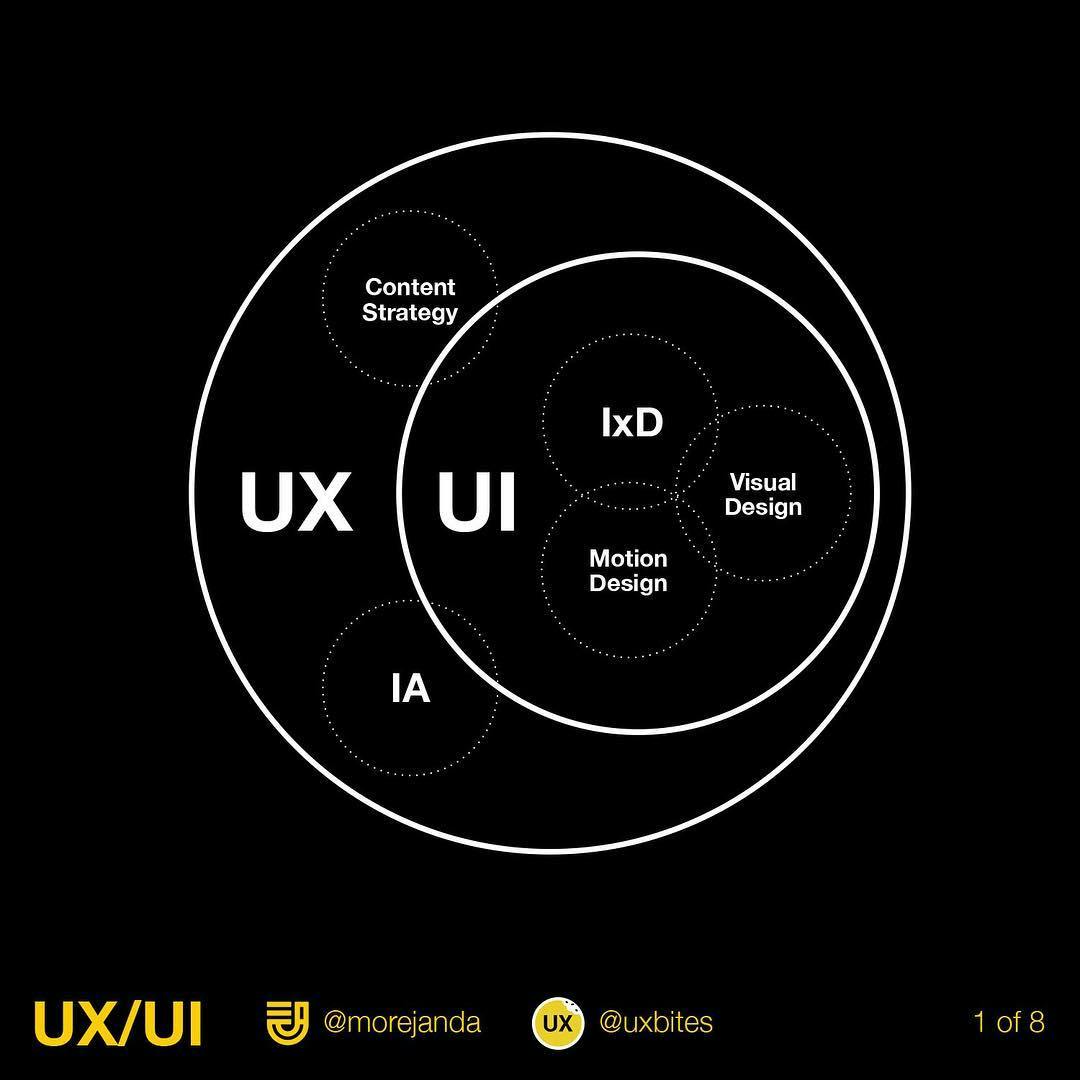
Then, what is UI Design exactly?
As defined by Wikipedia: User interface (UI) design or user interface engineering is the design of user interfaces for machines and software, such as computers, home appliances, mobile devices, and other electronic devices, with the focus on maximizing usability and the user experience. The goal of user interface design is to make the user's interaction as simple and efficient as possible, in terms of accomplishing user goals (user-centered design).
What are some of the job roles within the UX Design field?
A link to an article on the different roles within UX Design
Want to print your doc?
This is not the way.
This is not the way.

Try clicking the ··· in the right corner or using a keyboard shortcut (
CtrlP
) instead.