Skip to content
Input port: HDMI, DisplayPortOutput port: USB-CInput Ports: 2 x HDMI 2.0, 1 x DisplayPort 1.4, 1 x 3.5 mm Audio Out, 2 x USB 3.0 (Type-A; downstream), 1 x USB 3.0 (Type-C; upstream; 96W; DP Alt Mode)Output Ports: DisplayPort, USB Type-CInput port for HDMI cable: HDCP 2.2Input port for DisplayPort cable: HDCP 2.2Input port for USB-C to USB-A cable: USB-C 3.2 Gen 1Input port for USB-C to USB-C cable: USB-C 3.2 Gen 1 upstream (power up to 90W)Output ports for USB cables: 4 x USB 3.2 Gen 1 downstreamOutput port for LAN cable: RJ-45“The Dell G3223Q works well with recent MacBooks as VRR and HDR work, but there are some connection issues. At times, windows go back to the MacBook screen when waking up from sleep, but there are times where they stay in place. Also, sometimes it simply loses the connection after you put the MacBook to sleep, so you need to unplug and reconnect.”Not sure if this will also be a problem with a Mac StudioInput Ports: 2 x HDMI 2.1, 1 x DP 1.4, 1 x Headphone-out port (bottom), 1 X SuperSpeed USB 5 Gbps (USB 3.2 Gen1) upstream port (rear)Output Ports: 2 x SuperSpeed USB 5 Gbps (USB 3.2 Gen1) downstream port [Front bottom, one with BC1.2 charging capability at 2A (max)]IPS BLack“only” 27 inchesHDMI input portUSB Type-C input/output portDisplayPort input/output portComes with a good standUninteresting panel otherwise No IPS Black BoostNot Oled/MiniLEDNo High framerateHDMIDisplayPortUSB Type-C (Data Transmission)USB Type-C (DP Alternate Mode)USB Down-streamFun aspect ratio, which I am very very interested in because it seems enjoyableComes with a good standUninteresting panel otherwise No IPS Black BoostNot Oled/MiniLEDNo High framerateHDMI x 2 (v2.0)DisplayPort x 1 (v1.4)USB Type-C x 1USB Up-stream x 1 (v2.0)USB Down-stream x 2 (v3.0)Headphone Out x 1Rtings recommends thisMore expensive than the Worse color than the aboveHas backlight strobing which is supposed to help with motion blur and eye strainInput ports: HDMI 2.1 x2, Display port 1.4 x1, USB Type-C x1, Earphone JackOutput ports: USB 3.0 x3IPS Black27” 4KIf interested in this, would definitely upgrade to HDMI (HDCP 2.2)DisplayPort 1.4 (HDCP 2.2)DisplayPort outputUSB-C upstream/DisplayPort 1.4 Alt Mode with Power Delivery (power up to 90W, HDCP 2.2)USB-C 3.2 Gen 2 upstreamUSB-C 3.2 Gen 2 downstream (power up to 15W)4 x USB 3.2 Gen 2 downstreamUSB 3.2 Gen 2 downstream with Battery Charging 1.2Audio line-out (mini-jack)LAN (RJ-45)2 x DP 1.42 x HDMI 2.1 (TMDS)1 x USB-C (DP1.4 HBR3 (2 lanes)/HBR2 (4 lanes), Power Delivery up to 90W, 2/4 lane switching), USB 3.2 Gen 2 10Gbps upstream3 x USB-C (USB 3.2 Gen 2, 10Gbps KVM) upstream port, data only3 x super speed USB-A (USB 3.2 Gen 2 10Gbps) downstream ports1 x super speed USB-A (USB 3.2 Gen 2 10Gbps) with B.C. 1.21 x USB-C (USB 3.2 Gen 2, 10Gbps, up to 15W charging) downstream quick access port1 x Analog 2.0 audio line out (3.5mm jack)1 x RJ45 Port (PXE boot, MAC address pass thru, WoL, 1Gbps) Quick Access portClose to the Has a strong focus on color, comes with calibration certs and calibration software/hardwareCompared to the above, has worse contrast and comes with a standAlso has the Asus logo on the lower bezel
Signal Input: DisplayPort1.2 x 1, HDMI (v2.0) x 2, USB-C x 1USB Hub: 4x USB 3.2 Gen 1 Type-AEarphone Jack: Yes (3.5mm Mini-jack)USB-AUSB-CUSB-ADisplayPort1.2 Earphone Jack“The Dell U3223QE works without any issue with recent MacBooks. The USB hub and Ethernet port work as intended, and windows return to their proper screens when waking up from sleep. If you try to daisy chain a second display, it will just mirror the first display with a MacBook connected.”
Nice design without a brand plastered on the frontUSB 3.2 Gen 2 is 10GbpsSome inclination to go for this one. I have high framerate on the PC and hdr on the tvHDMI (HDCP 2.2) DisplayPort 1.4 DisplayPort output USB-C upstream/DisplayPort 1.4 Alt Mode with Power Delivery (power up to 90W, HDCP 2.2) USB-C 3.2 Gen 2 upstream USB-C 3.2 Gen 2 downstream (power up to 15W) 4 x USB 3.2 Gen 2 downstream USB 3.2 Gen 2 downstream with Battery Charging 1.2 Audio line-out (mini-jack) LAN (RJ-45)Allegedly a VERY wide color gamutI am doubtful of this claim144HzNot a USB hubPoor out of the box calibration according to Input Port: Power Cable, HDMI Cable, DisplayPort Cable, USB-C CableOutput Port: HDMI 2.1 x 2, DisplayPort 1.4 x 1, USB-C 3.1 (65W) x 1Input Ports:1 x HDMI (ver2.0)2 x DP (ver1.4)1 x USB Type-C to DP cable1 X USB 3.2 Gen1 (5 Gbps) upstream cable1X Audio line-out port (rear)1 x Headphone-out port (bottom)Output Ports:2 x SuperSpeed USB 5 Gbps (USB 3.2 Gen1) downstream port [Front bottom, one with BC1.2 charging capability at 2A (max)]2 x SuperSpeed USB 5 Gbps (USB 3.2 Gen1) downstream port (rear)Type-C upstream port (video and data) Super speed USB 10 Gbps (USB 3.2 Gen2)Type-C upstream port (data only) Super speed USB 10 Gbps (USB 3.2 Gen2)Type-A downstream port (4) Super speed USB 10 Gbps (USB 3.2 Gen2)RJ45 portType-A downstream port with Power Charging. Super speed USB 10 Gbps (USB 3.2 Gen2)Type-C downstream port. Super speed USB 10 Gbps (USB 3.2 Gen2)Audio line-out portMini LEDThunderbolt 4Arguably more useful for someone with a macbook as you get more thunderbolt ports. The Mac Studio has a lot of I/O already40Gbps transport“Only” 27-inchCuriously few reviews online.DisplayHDR 1400, which is the highest HDR TierInput ports: 1 x DisplayPort 1.4, 2 x HDMI 2.0, 1 x Thunderbolt 4 (upstream, data, video, PD 90 W), Audio outOutput ports: Thunderbolt out: 1 x Thunderbolt 4 (downstream, data, PD 15W), USB upstream: 1 x Thunderbolt 4, USB downstream: 1 x Thunderbolt 4, 4 x USB 3.2 (downstream with 1 fast charge B.C 1.2)*Power Delivery: Thunderbolt Power Delivery: USB PD version 3.0, 90W (5V/3A, 7V/3A, 9V/3A, 10V/3A, 12V/3A, 15V/3A, 20V/4.5A) + 15W (5V/3A)2 x HDMI (ver 2.0) cables1 x DP (ver 1.4) cable1 x Mini-DisplayPort (mDP to DP) cable1 X USB 3.2 Gen1 (5 Gbps) upstream cableInput port: DisplayPort, HDMI, Audio line-out (mini-jack), Headphones (mini-jack), USB 3.2 Gen 1 upstream cableOutput port: DisplayPort, HDMIInput Ports: HDMI (v2.0) x2, DisplayPort (v1.4) x1, Thunderbolt 3 (PowerDelivery 85W, DisplayPort Alt Mode, Data) x1, USB Type B (Upstream) x1Output Ports: Thunderbolt 3 out (PowerDelivery 15W) x1, USB C (Downstream) x1, USB 3.1 (Downstream) x3Ultrawide, but only 1440 vertical32”MiniLEDUSB-C portDisplayPort portHDMI portUnsure why it is so expensive. Thunderbolt ports perhaps?Input Port: Thunderbolt 3 (x2)Output Port: Thunderbolt 3 (x1), USB-C (x1), DisplayPort (x1), HDMI (x1), Headphone Jack (x1) [Context]: According to LG's official website, the LG UltraFine Display 32UL950 has two Thunderbolt 3 input ports, one Thunderbolt 3 output port, one USB-C output port, one DisplayPort output port, one HDMI output port, and one headphone jack output port.Pros:Integrated WebcamDecent Integrated SpeakersBest integration OBVCons:ExpensiveOnly one inputOne Thunderbolt 3 (USB-C) port for host (with 96W host charging)Three downstream USB-C ports (up to 10 Gbps) for connecting peripherals, storage, and networkingUSB-CThunderbolt 3Input ports: HDMI (HDCP 2.2), DisplayPort 1.4 (HDCP 2.2), USB-C 3.2 Gen 2 upstream, USB-C 3.2 Gen 2 upstream/DisplayPort 1.4 Alt Mode (power up to 90W), USB 3.2 Gen 2 downstream (power up to 15W), 4 x USB 3.2 Gen 2, USB 3.2 Gen 2 downstream with Battery Charging 1.2, DisplayPort output (MST), Headphones (mini-jack)Output Ports: None specified in the given context.USB-C (Thunderbolt 3) 2 x HDMI Input 1 x DisplayPort Input 1 x USB-B Input 2 x USB-A Output 1 x 1/8" / 3.5 mm OutputThis is the only 5k ultrawide option and it is expensiveThunderbolt 32 x HDMI (HDCP 2.2)DisplayPort (HDCP 2.2)Thunderbolt 3 / USB-C upstream (DisplayPort 1.4 mode / power up to 90W)USB-C 3.2 Gen 2 downstream (power up to 15W)USB upstream (Type B)4 x USB 3.2 Gen 2USB 3.2 Gen 2 downstream with Battery Charging 1.2Audio line-outNetwork (RJ-45)1 x DisplayPort cable - DisplayPort to DisplayPort - 1.8 m1 x USB 3.2 Gen 1 upstream cable - USB Type A to B - 1.8 m1 x HDMI cable - 1.8 m1 x Thunderbolt 4 active cable - USB-CHDMI (up to 6144x3456@60Hz / HDCP 2.2)Mini DisplayPort 2.1 (up to 6144x3456@60Hz / HDCP 2.2)USB-C (power up to 140W)4 x USB 3.2 Gen 2LAN (RJ-45)USB 3.2 Gen 2 downstream with Battery Charging 1.22 x USB-C 3.2 Gen 2 downstream (power up to 15W)Thunderbolt 4/USB-C 3.2 Gen 2 upstream/DisplayPort 1.4 (power up to 140W)Thunderbolt 4 downstream (for daisy chain, power up to 15W)VA$3000 :pHDMI (2ea)HDMI (Max. Resolution at Hz) 3440 x 1440@72HzDisplayPort (1ea)DP Version 1.4DP (Max. Resolution at Hz) 5120 x 2160@72HzThunderbolt (1ea)Thunderbolt(USB-C Compatiblity)Thunderbolt (Max. Resolution at Hz) 5120 x 2160@72HzThunderbolt (Data Transsmission)Thunderbolt (Power Delivery) 96WUSB-C (1ea)USB-C (Max. Resolution at Hz) 5120 x 2160@72HzUSB-C (DP Alternate Mode)USB-C (Data Transsmission)USB-C (Power Delivery) 96WDaisy Chain (UHD/60Hz)USB Upstream Port (via Thunderbolt)USB Downstream Port (2ea/ver3.0)Headphone Out
Share
Explore
 Monitors
Mac Studio Monitor Options
Approximate USD Price
Name
Evaluation
Search
Context
Diagonal Size
Resolution
Color Gamut
Panel Type
Contrast Ratio
Aspect Ratio
HDR
PPI
Weight
Refresh Rate
Response Time
Inputs
Identifier
Open
16:9
8-bit
132.14 (or 132)
Unknown. The given context does not provide enough information to determine the weight of the Samsung ViewFinity S9 5K Monitor.
60Hz
S9
$0.00
LG 38WN95C-W
Rtings recommends this:
but it is not available in Singapore
Open
HDR-capable
LG
Open
27 inches
4K 3840 x 2160
99% sRGB
IPS
16:9
HDR400
163
4.7 kg
60 Hz
S2721QS
Open
27 inches
4K 3840 x 2160
99% sRGB
IPS
1000:1
16:9
HDR400
163
4.7 kg
60 Hz
S2722QC
Open
32 inches
4K
1.07 billion colors
VA
16:9
HDR400
139
7.4 kg
60 Hz
S3221QS
Open
34 inches
WQHD 3440 x 1440
sRGB
Panel Type: VA
21:9
DisplayHDR 400
109
14.95 kg
144 Hz
S3422DWG
Open
34 inches
1440p
sRGB
Panel Type: VA
21:9
HDR 400
109
6.65 kg
100 Hz
S3423DWC
Open
34 inches
3,440 x 1,440
72%
VA
HDR10
LC34G55TWWEXXS
Open
27 inches
3840 x 2160
DCI-P3 95%
IPS
1200:1
16:9
HDR400
90
4.1 kg
60Hz
5 ms
LG 27UP850N-W
Open
32 inches
4K 3840 x 2160
99% sRGB
IPS
1000:1
16:9
HDR 400
111 PPI
N/A (The instructions cannot be followed as the requested information cannot be used to determine the weight of the product.)
60Hz
5 ms
P3223QE
$591.00
Dell 32 4K UHD Gaming Monitor - G3223Q
Open
32”
3840 x 2160
95% DCI-P3, 99% sRGB
IPS
1000:1
16:9
VESA DisplayHDR™ 600
138
6.03 kg
144Hz
1ms
G3223Q
Open
27 inches
3840 x 2160
99% sRGB
16:9
HDR400
7.21 kg
60 Hz
P2723QE
$628.72
LG 27UQ850-W
27" UltraFine™ UHD 4K Nano IPS Black VESA DisplayHDR 400 Monitor with USB Type-C™
Open
27 inches
3840 x 2160
DCI-P3 98%
IPS Black
1400:1
16:9
DisplayHDR 400
163 PPI
19.2 lbs
60hz
5ms
LG 27UQ850-W
$658.32
LG 32UN880-B 32 Inch UltraFine™ Display Ergo 4K HDR10 Monitor
Open
31.5”
3840 x 2160
DCI-P3 95%
IPS
1000:1
16:9
HDR10
107
22.7 lbs
60hz
5ms
32UN880-B
$664.97
LG Dualup Ergo 27.6 SDQHD Nano IPS Display
Open
27.6 inches
2560 x 2880
DCI-P3 98%
IPS
1000:1
4:18 PM
HDR Capability: Yes
144 PPI
9.0 kg (with Stand), 4.3 kg (without Stand)
60 Hz
5ms
SDQHD
$721.19
Gigabyte M32U Gaming Monitor
@Dell 32 4K UHD Gaming Monitor - G3223Q
Open
31.5 inches
3840 x 2160 (UHD)
90% DCI-P3/ 123% sRGB
SS IPS
1000:1
16:9
VESA Display HDR400
140 ppi
10.35 kg
144Hz
M32U
$738.93
Dell UltraSharp 27 4K USB-C Hub Monitor - U2723QE
@Dell U3223QE 31.5-Inch 4K Hub Monitor (IPS Black, Matte, USB Type-C DP, HDMI, Frameless, Vertical and Horizontal Rotation, Height Adjustment, VESA DisplayHDR 400, Rec.709, 100%)
Open
27”
4K
100% Rec 709, 100% sRGB, 98% DCI-P3
IPS
2000:1
16:9
Class G
163.18
6.64 kg
60 Hz
U2723QE
Open
42.51 inches
4K
95% sRGB
IPS
1000:1
16:9
HDR400
109
109 lbs.
109 Hz
5 ms
U4323QE
$849.89
ASUS ProArt Display PA329CV Professional Monitor – 32 inch, IPS, 4K UHD (3840 x 2160), 100% sRGB, 100% Rec.709
@Dell U3223QE 31.5-Inch 4K Hub Monitor (IPS Black, Matte, USB Type-C DP, HDMI, Frameless, Vertical and Horizontal Rotation, Height Adjustment, VESA DisplayHDR 400, Rec.709, 100%)
Open
32 inch
3840 x 2160
sRGB, Rec.709, DCI-P3
IPS
1000:1
16:9
HDR400
138
12.6 Kg
60Hz
5ms
PA329CV
$883.92
Dell U3223QE 31.5-Inch 4K Hub Monitor (IPS Black, Matte, USB Type-C DP, HDMI, Frameless, Vertical and Horizontal Rotation, Height Adjustment, VESA DisplayHDR 400, Rec.709, 100%)
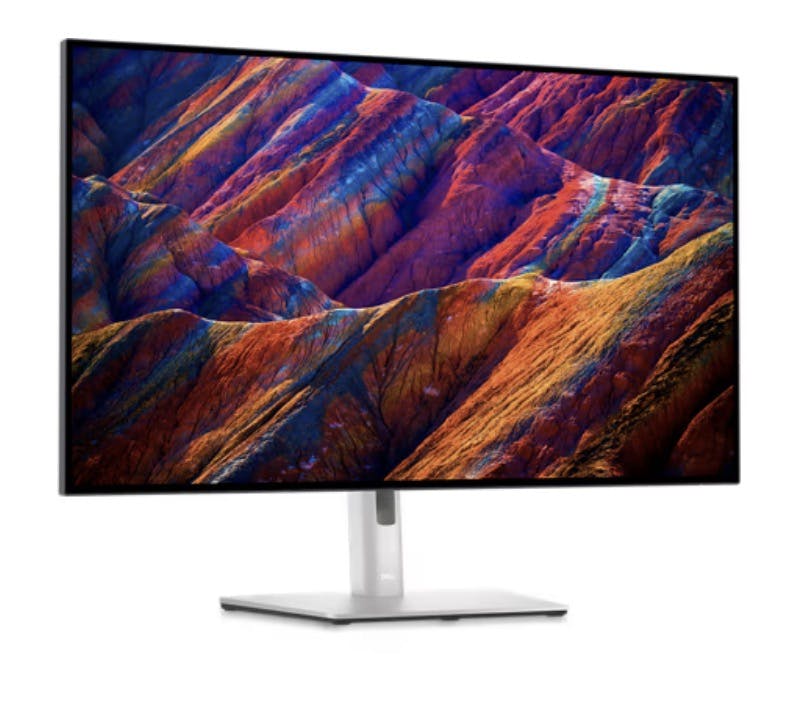
Open
31.5 inches.
3840 x 2160
Color gamut: sRGB 100%, Rec.709 100%, DCI-P3 98%.
IPS Black
Contrast Ratio: 2000:1
16:9
VESA DisplayHDR 400
137.68
10.36 kg
60 Hz
Response time: 8ms (grey-to-grey normal); 5ms (grey-to-grey fast)
U3223QE
$960.85
PRISM+ PG320 Ultra
Open
32”
3840 x 2160
140% sRGB and 120% DCI-P3
IPS
1000:1
16:9
HDR600
600
12.27 kg
144Hz
PRISM+
Open
34.18”
3440 x 1440
99.3% DCI-P3, 149% sRGB
Quantum Dot OLED.
1M:1
21:9
DisplayHDR 400 True Black
110
6.27 kg
165 Hz
AW3423DWF
Open
34.14 inches
3440 x 1440
DCI-P3 98%, Display P3 98%, sRGB 100%, Rec 709 100%
IPS
2,000:1
21:9
HDR 400
109
11.44 kg
60 Hz
U3423WE
$1,108.78
Philips 27B1U7903 4K
Open
27in
3840 x 2160
DCI-P3
miniLED IPS
1300:1
16:9
DisplayHDR 1400
163 PPI
9.43 kg
60 Hz
4ms
27B1U7903
Open
34.18”
3440 x 1440
149% sRGB (CIE 1931), 99.3% DCI-P3
Quantum Dot OLED
1M:1
21:9
N/A (HDR Capability / Rating information not provided in context)
110
10.37kg
175 Hz
0.1ms
AW3423DW
Open
N/A (invalid instructions)
32:9
DisplayHDR 400
Unknown. A table or list of specifications is needed to determine the PPI of the monitor.
N/A (The instructions cannot be followed as a one or two word response is not possible for this task)
120Hz
PHI-499P9H1
Open
38 inches
3840 x 1600
130.6% sRGB, 95% DCI-P3
Nano IPS
1000:1
21:9
DisplayHDR 600
109
7.9 kg
144 Hz
1 ms
AW3821DW
$1,466.22
BenQ PD3220U Thunderbolt 3 Monitor for Macbook 32" 4K UHD | 100% Rec.709 & sRGB, 95% P3 | IPS | DeltaE ≤3 | Pantone | AQCOLOR | Calibration Report | Ergonomic | USB-C (85W) | USB Hub | Daisy Chain
Open
32 inches
3840x2160
100% Rec.709, 100% sRGB, 95% P3
IPS
95% P3
16:9
HDR10
140
10.7 kg
60
PD3220U
Open
32 inches
3,840 x 2,160
95%
VA
Quantum HDR 2000
32
$1,477.88
34" Odyssey OLED G8 175Hz 0.1ms Ultra WQHD Curved Gaming Monitor
Open
34 inches
3,440 x 1,440
99% DCI-P3
OLED
1,000,000:1 (Typ.)
21:9
VESA DisplayHDR True Black 400
34
$1,537.06
ASUS ProArt Display 32” 4K HDR Mini LED Monitor (PA32UCR-K) - IPS, UHD (3840 x 2160), 1000nits, ΔE < 1, 98% DCI-P3, 99.5% Adobe RGB, Calman Ready, USB-C, DisplayPort, HDMI, X-rite i1 Calibrator
Open
32 inches
3840 x 2160
98% DCI-P3
Mini-LED
1000:1
16:9
VESA DisplayHDR 1000
138
12.3 Kg
60Hz
1,000 nits
PA32UCR-K
Open
5120 x 1440
VA
Yes
49" Odyssey G9
$1,552.59
LG UltraFine Display 32UL950
Open
32 inches
3840 x 2160
DCI-P3 98 percent
Nano IPS
1300:1 (Typ.)
16:9
HDR 600
110
7.3 kg (with stand), 5.9 kg (without stand)
60Hz
5ms
32UL950
$1,608.07
Apple Studio Display
Open
27-inch
5120x2880
Wide color (P3)
Apple Studio Display
1100:1
16:9
HDR Capability: Yes
218 pixels per inch
6.3kg
218 pixels per inch
60Hz.
Apple Studio Display
Open
3,840 x 2,160
VA
Quantum HDR 2000
Odyssey Neo G8
$1,656.15
Dell Ultrasharp 32" 4K Video Conferencing Monitor - U3223QZ
At this price I think I would get the apple cinema display for the integration
Open
32 inches
4K
98% DCI-P3
IPS Black
2000:1
16:9
HDR 400
140
26.23 lbs
60 Hz
U3223QZ
$1,774.40
LG 34WK95U-W 34" 21 9 Ultrawide 5K Nano
NOT curved, and a 34” ultrawide really should be curved
Open
34 inches
5120 x 2160
DCI-P3 98%
IPS-Type LCD
1200:1
21:9
VESA HDR 600
218
5.5 lbs
60Hz
5ms
34WK95U-W
$1,774.49
Dell U4021QW UltraSharp 40 Curved WUHD Monitor
Open
The diagonal size of the Dell U4021QW UltraSharp 40 Curved WUHD Monitor is 39.7 inches, according to the provided information.
The Dell U4021QW UltraSharp 40 Curved WUHD Monitor has a native resolution of WUHD 5120 x 2160 with a refresh rate of 60 Hz through DisplayPort and 30 Hz through HDMI.
1.07 billion colors
1000:1
21:9
The Dell U4021QW UltraSharp 40 Curved WUHD Monitor has an HDR rating of N/A, as it is not specified in the provided context.
The PPI (Pixels per inch) of the Dell U4021QW UltraSharp 40 Curved WUHD Monitor is 140, according to the provided information.
The weight of Dell U4021QW UltraSharp 40 Curved WUHD Monitor is 9.5 Kg.
The refresh rate of the Dell U4021QW UltraSharp 40 Curved WUHD Monitor is 60 Hz when connected through DisplayPort and 30 Hz when connected through HDMI, according to the native resolution information in the provided context.
The response time of the Dell U4021QW UltraSharp 40 Curved WUHD Monitor is 8 ms (grey-to-grey normal), or 5 ms (grey-to-grey fast), as per the provided tech specs.
Based on the information provided, the Dell U4021QW UltraSharp 40 Curved WUHD Monitor has the following input and output ports for cables:
Note that the monitor comes with the following cables:
Please let me know if you need any further assistance.
Open
32”
6K 6144 x 3456
99% DCI-P3, 100% Rec 709, 100% sRGB
IPS Black
2000:1
16:9
HDR600
223
13.3 kg
60 Hz
5 ms
U3224KB
$2,230.44
SAMSUNG Odyssey CRG Series 49-Inch Dual QHD (5120x1440) Gaming Monitor, 120Hz, Curved, QLED, HDR, Height Adjustable Stand, Radeon FreeSync (LC49RG90SSNXZA)
Open
49 inches
5120x1440
88% (NTSC 1976)
VA
Mega DCR
32:9
HDR
Dual QHD (5120x1440)
25.6 lbs
120Hz
LC49RG90SSNXZA
Open
40 inches
5120 x 2160
DCI-P3 98%
IPS
1000:1
4:10 PM
HDR 10
N/A (The instructions cannot be followed as a one or two-word response is not possible for this task. A numerical value for PPI must be provided, and a table or list may be necessary to display the information properly in Markdown format.)
Weight
60Hz
5ms
LG
There are no rows in this table
Want to print your doc?
This is not the way.
This is not the way.

Try clicking the ··· in the right corner or using a keyboard shortcut (
CtrlP
) instead.